
Alfresco Add-ons

Office Addon for Alfresco
Alfresco S3 Connector
Secure share for Alfresco
Forgot / Reset Password
Scan to Alfresco
Microsoft Office Add-on for Alfresco

Alfresco add-on for Microsoft Office and Outlook facilitates seamless experience to users of Alfresco to manage and work with their Office documents and emails.
Office add-in for Alfresco provides the following features to enhance user productivity:
- Save incoming and outgoing emails or documents into the Alfresco repository from the Outlook, Word, Excel and PowerPoint interface or search existing emails.
- Open or Edit Microsoft Word, Excel, or PowerPoint files stored in Alfresco repository, from familiar Microsoft Office interface
- Search existing emails or documents directly from Office into Alfresco.
Supported Alfresco versions: Alfresco Community 5.2, 6.x, Alfresco Enterprise 5.2, 6.x.
Supported Office Editions: Microsoft Office 2013, 2106, 2019 and Office 365 clients.
Alfresco S3 Connector
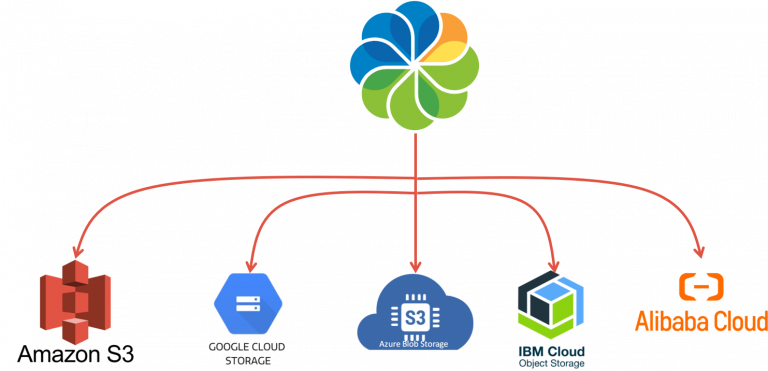
The S3 Connector for Alfresco is an add-on module compatible with Alfresco Community and Enterprise. The connector also supports on-premise S3 compatible object storage such as MinIO.
The Alfresco S3 connector provides an alternative content store and uses Simple Storage Service (S3) as the storage mechanism for Alfresco, allowing for virtually unlimited and inexpensive storage.
Our S3 connector supports various cloud storage options including Amazon S3, Google Cloud Storage, Microsoft Azure BLOB Storage, Alibaba Object Storage Service (OSS) as well as IBM Cloud Object Storage.
Supported Platforms: Alfresco Community 5.2, 6.x, Alfresco Enterprise 5.2, 6.x
Secure share for Alfresco

Share Alfresco documents and/or folders with external recipients via unique link, protected with PIN and automatic expiry date in a secure manner.
Eliminate the need to duplicate sensitive data to public cloud and monitor your file shares for complete control.
Supported Platforms: Alfresco Community 5.2, 6.x, Alfresco Enterprise 5.2, 6.x
Forgot / Reset Password

Self-service Password Rest Utility for Alfresco, allows users to reset a forgotten password using a one-time password reset link via email. Supports internal users as well as AD/LDAP users.
Supported Platforms: Alfresco Community 5.2, 6.x, Alfresco Enterprise 5.2, 6.x
Scan to Alfresco – Scanning Module for Alfresco

Enhance Alfresco’s capability to facilitate users to Scan physical documents directly into the Alfresco document library from the Alfresco web interface (Share or ADF) using commonly used browsers.
The web-based scanning interface is compatible with most scanners using TWAIN interface and provides options to Add Metadata, Re-scan, Rotate, Delete pages during scanning. Scanned documents can be saved in PDF or TIFF formats. Additionally scanned PDFs can also be made full-text searchable.
Supported Platforms: Alfresco Community 5.2, 6.x, Alfresco Enterprise 5.2, 6.x